
- Published on
- •2 min read
When a CA's Private Key Was Just the Number 4: The eMudhra Incident, Reproduced by Hand
- Authors

- Name
- Pulathisi Kariyawasam
Introduction
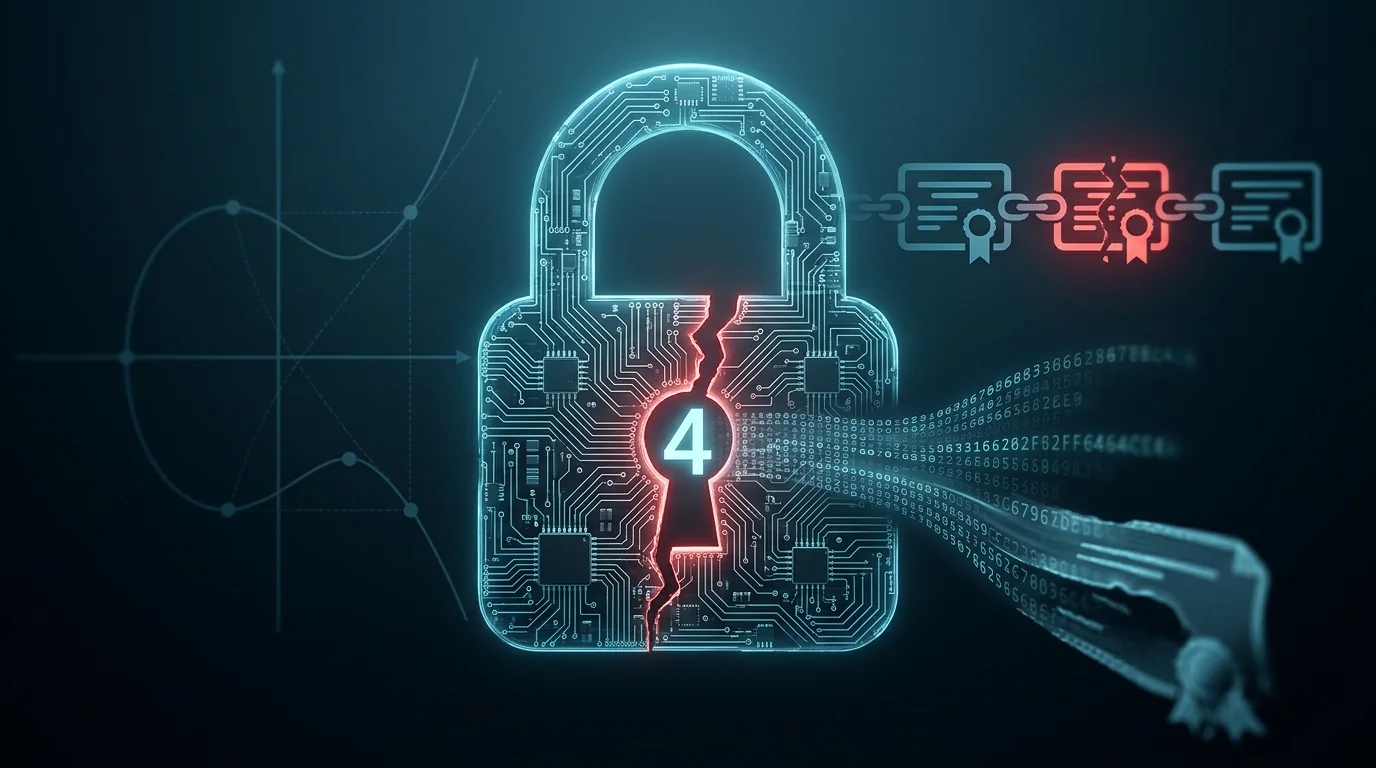
In October 2026, eMudhra's SSL certificate keys were compromised. One of their Certificate Authority private keys turned out to be the number 4 - not a large random number, the digit 4.
I had spent some time learning how SSL, HTTPS and certificates work, and wrote two articles along the way - How HTTPS Really Works and Diffie-Hellman Explained. This incident is a clean, real-world example of the exact ideas in those posts, so it's worth working through rather than just reading about.
The goal here is to use the incident to understand why a private key of 4 breaks everything, and then reproduce it: pull the real (now-revoked) demo certificate the researchers published, compute the public key for d = 4 myself, and confirm it matches. By the end you'll see how ECDSA keys are built on a generator point, why entropy is the thing that actually protects you, and what "revoked" really means. I also hit a couple of mistakes doing this, and I've left them in because they explain the trust model better than getting it right the first time would.
Stage 1: The 30-Second Background
Quick refresher, because the whole incident only makes sense if the trust model is clear. When you open https://yourbank.com, trust flows downward through a chain:
Root CA          → trusted by your device (shipped inside your OS/browser)
  └── signs → Intermediate CA   → sent by the server during the handshake
                 └── signs → Leaf certificate   → the actual website
The leaf is the certificate at the very bottom of that chain - the one actually issued for the site you're visiting. It's called a "leaf" because it sits at the end of the tree: other certificates sign it, but it signs nothing below itself. (I'll use "leaf" a lot below, so it's worth pinning down now.)
Two things that trip people up (they tripped me up too, more on that later):
- Only root certificates live in your device's trust store. Intermediates are normally sent by the server during the TLS handshake - they aren't sitting on your machine.
- Every certificate has its own key pair. An intermediate signing a leaf does not mean they share a key. The intermediate's key only signs the leaf; the leaf has its own separate key.
Hold on to those two. They matter.
Stage 2: What Actually Happened
On 17 October 2026, a researcher scanning public certificate data found that the private keys of eight eMudhra intermediate certificates were compromised. Not stolen by hackers - generated so badly that anyone could recover them.
The headline one: the intermediate called "EM OV TLS CA - G3C" had a private key of 4.
Why is that the end of the world? Here's where my Diffie-Hellman article comes straight back. In ECDSA (the elliptic-curve signatures TLS uses), your private key is a secret number d, and your public key is a point d·G. Same shape as Diffie-Hellman: easy one way, impossible the other way... but only if d is a huge random number.
If d = 4, there's nothing to reverse. An attacker just tries 1·G, 2·G, 3·G, 4·G and checks against the public key. Four cheap guesses and they own the key. The hard math never even gets a chance to protect you.
And with that key, an attacker could forge a certificate for any domain - yourbank.com, anything - sign it with this trusted intermediate, and your browser would show a happy green padlock while someone reads your traffic.
The response was fast and came from the people who control trust stores:
- Google (Chrome) blocked the keys with CRLSet (fast revocation, no browser update needed).
- Mozilla moved to remove the affected root from NSS.
- Apple and Microsoft pushed removals through OS updates.
- eMudhra revoked the eight intermediates and stopped issuing under that root.
One relief: Google's Certificate Transparency logs showed no fraudulent certificates were actually issued through these intermediates before the blocks landed. "No evidence of abuse" isn't the same as "never abused," but it kept the real damage limited.
Scope note: this hit eMudhra's global website-security (TLS) business. Their India-regulated Digital Signature (DSC) and eSign services were reported unaffected.
Stage 3: But First - What Is G?
I kept writing d·G. Let me not skip over G like it's obvious, because the whole trick lives here.
An elliptic curve is a set of points (x, y) that satisfy a curve equation over a huge finite field. Out of all those points, the designers pick one fixed, public point and call it G - the generator (or base point).
It's called the generator because adding it to itself walks you across the keyspace:
1·G = G
2·G = G + G
3·G = G + G + G
4·G = G + G + G + G
...
Important facts about G:
- It is NOT a secret.
Gis written into the curve's spec. Everyone on Earth uses the sameGfor P-384 - it's baked into OpenSSL, Python'scryptographylibrary, your browser, everything. That's why my script below never has to fetch it. - It's the anchor for every key pair. Private key = secret number
d. Public key = the pointd·G.
So "the public key is 4·G" literally means: start at the public point G, add it to itself 4 times, and that landing point is the public key.
The one-way street (you'll recognise this from Diffie-Hellman):
     d  ───────────►  d·G        EASY  (fast even for a 384-bit d)
        ◄───────────
     given d·G, find d?          HARD  (the elliptic-curve discrete log problem)
For a random 384-bit d, going backwards is computationally impossible. For d = 4... you just count to four.
The way I think about it:
Gis a fixed starting spot, and "multiplying byd" is takingdsteps in a scrambled walk. Telling someone where you landed (d·G) doesn't reveal how many steps you took - unless you took so few, like 4, that they can just retrace them.
Stage 4: Let's Reproduce It (Hands-On)
The researchers published demo certificates at we-have-a-problem.com so people can poke at the real thing safely. Everything below uses only public values - I'm checking an already-published claim (d = 4) against a public key. That's verifying a disclosure, not hunting for a secret. (I'll come back to why that line matters.)
You need: Ubuntu with openssl, python3, and pip install cryptography.
Step 1 - First, look at a healthy key for contrast
pulathisi@ubuntu:~$ openssl ecparam -name prime256v1 -genkey -noout -out mykey.pem
pulathisi@ubuntu:~$ openssl ec -in mykey.pem -text -noout
Output (yours will differ - it's random):
Private-Key: (256 bit)
priv:
    de:32:27:37:cc:71:f0:93:ef:36:e0:ea:6b:09:62:
    a8:4c:28:e4:00:07:5e:f4:49:ba:83:83:58:97:a5:
    c7:0d
pub:
    04:92:21:da:b1:68:65:81:15:37:54:c7:ee:58:d7:
    ... (and more)
That priv: block is d - 32 bytes, 256 bits of pure randomness. That's what a private key is supposed to look like. Now picture that whole block being just 04. That one difference is the entire problem.
Step 2 - Pull the real certificate chain from the demo server
The certificate we actually want to inspect is the intermediate - the weak one. We can't just download it on its own; the server hands it over as part of the chain when a browser connects. So the plan is simple: connect to the demo site exactly like a browser would, and save everything the server sends back into one file.
pulathisi@ubuntu:~$ echo | openssl s_client -connect ov-g3c-emudhra.we-have-a-problem.com:443 \
  -servername ov-g3c-emudhra.we-have-a-problem.com -showcerts 2>/dev/null > chain.pem
What each part does:
s_client -connect host:443- opens a TLS connection, same as a browser.-servername ...- sends SNI, so a multi-site server hands us the right certificate.-showcerts- prints the whole chain, not just the leaf. This is the flag that matters.echo |- feeds empty input so the session closes instead of hanging.2>/dev/null- drops the noisy diagnostics.> chain.pem- saves everything to one file.
Step 3 - Split the chain and see what's inside
Right now chain.pem holds all three certificates stacked in one file - leaf, intermediate, and root, one after another. But OpenSSL inspects one certificate at a time, and I need to point my check at only the intermediate. So the goal of this step is to break the stack into separate files and label each one, so I can tell which file is the intermediate I'm after.
pulathisi@ubuntu:~$ awk '/BEGIN CERT/{c++} {print > ("cert" c ".pem")}' chain.pem
pulathisi@ubuntu:~$ for f in cert*.pem; do echo "== $f =="; openssl x509 -in "$f" -noout -subject; done
The awk line bumps a counter at every BEGIN CERT and writes each certificate to its own file. The loop prints each subject so we know which is which:
== cert1.pem ==
subject=CN = ov-g3c-emudhra.we-have-a-problem.com          ← leaf (the website)
== cert2.pem ==
subject=C = US, O = eMudhra Inc, CN = EM OV TLS CA - G3C    ← intermediate (the weak one!)
== cert3.pem ==
subject=... CN = emSign Root TLS CA - G3                     ← root
There's the chain from Stage 1, live in front of me. cert1 signed by cert2, cert2 chaining to cert3.
You might also get a stray
cert.pemthat won't load - it's just the blank bit before the first certificate. Ignore it.
Step 4 - The mistake that taught me something
My first instinct was to test the leaf's key. So I did:
pulathisi@ubuntu:~$ openssl x509 -in cert1.pem -noout -pubkey | openssl pkey -pubin -text -noout
It's a totally normal random key. Not 4. And that confused me for a second - until the Stage 1 fact clicked: the leaf and the intermediate have different keys. The leaf being signed by a weak intermediate doesn't make the leaf weak. The famous d = 4 belongs to the intermediate (cert2.pem), not the leaf.
Lesson learned by doing, not reading. That's the whole point of this.
Step 5 - Check the intermediate's curve (don't skip this)
pulathisi@ubuntu:~$ openssl x509 -in cert2.pem -noout -pubkey | openssl pkey -pubin -text -noout
Public-Key: (384 bit)
pub:
    04:13:82:51:cd:52:ac:92:98:c1:c8:aa:d9:77:32:
    ...
ASN1 OID: secp384r1
NIST CURVE: P-384
Note this carefully: it's P-384, not P-256. If you compare against the wrong curve, you'll get a false "no match" - which is exactly the next trap I nearly fell into.
Step 6 - Compute 4·G and compare
Save this as verify.py:
from cryptography.hazmat.primitives.asymmetric import ec
from cryptography.hazmat.primitives import serialization
from cryptography import x509

# IMPORTANT: match the intermediate's curve - P-384 here, NOT P-256
pub_from_d4 = ec.derive_private_key(4, ec.SECP384R1()).public_key()
d4 = pub_from_d4.public_bytes(
    serialization.Encoding.X962,
    serialization.PublicFormat.UncompressedPoint,
).hex()

cert = x509.load_pem_x509_certificate(open("cert2.pem", "rb").read())
cert_pub = cert.public_key().public_bytes(
    serialization.Encoding.X962,
    serialization.PublicFormat.UncompressedPoint,
).hex()

print("4*G (P-384):", d4)
print("cert key   :", cert_pub)
print("MATCH" if d4 == cert_pub else "NO MATCH")
Run it:
pulathisi@ubuntu:~$ python3 verify.py
Output:
4*G (P-384): 04138251cd52ac9298c1c8aad977321deb97e709bd0b4ca0aca55dc8ad51dcfc9d15...
cert key   : 04138251cd52ac9298c1c8aad977321deb97e709bd0b4ca0aca55dc8ad51dcfc9d15...
MATCH
✓ MATCH.
That's it. The intermediate's public key is exactly 4·G. I reproduced a globally-trusted CA's private key by computing a single point. One line of output, and the whole catastrophe is sitting on my screen.
The curve trap: if you run this with
SECP256R1()(P-256) instead, you getNO MATCH- but that's meaningless, because you compared points on two different curves (65 bytes vs 97 bytes). A "no match" from a curve mismatch is a bug in your test, not a finding. Always confirm the curve from Step 5 first. (Yes, I hit this. Yes, it's in here on purpose.)
Stage 5: "But They Revoked It - Why Does It Still Match?"
This was the question that actually bugged me after the match. If the certs were revoked, why can I still download one and confirm the key is 4? Shouldn't it be gone?
No - and this is a genuinely useful distinction. Revocation doesn't delete a certificate or change its contents. It just announces "don't trust this anymore."
Think of a cancelled passport. The physical passport still exists, same photo, same number. Cancelling it doesn't make it vanish - it adds the number to a list that border control checks and rejects. The document is still out there; it just shouldn't be honoured.
So two separate facts live side by side:
- The certificate still exists, key still 4 → that's why
verify.pysays MATCH. - Nobody trusts it anymore → that's why Chrome shows "Not secure" when I open the demo site.
How "don't trust" gets enforced: Chrome's CRLSet rejects the chain, Mozilla pulls the root from NSS, everyone else ships updates. And the demo server can keep serving these certs happily, because no updated client will trust them.
The catch - and the real lesson for anyone running systems: the protection only exists on clients that received the update. Old devices, tools that don't check revocation, software with its own trust store - those can still trust the chain and still get forged. The fix for a compromised key is never "delete it." It's distrust + everyone actually applying that distrust.
Quick check on my own Ubuntu box
I never had these private keys - they were the CA's. My machine only stores roots. To see which eMudhra roots it trusts:
# System trust store
pulathisi@ubuntu:~$ for f in /etc/ssl/certs/*.pem; do openssl x509 -noout -subject -in "$f" 2>/dev/null; done | grep -i emudhra

# Chrome/Chromium NSS store (needs: sudo apt install libnss3-tools)
pulathisi@ubuntu:~$ certutil -L -d sql:$HOME/.pki/nssdb | grep -i emudhra

# Java keystore (ships its own roots)
pulathisi@ubuntu:~$ keytool -list -cacerts -storepass changeit | grep -i emudhra
Finding roots is normal and fine - those are trust anchors, not the compromised intermediates. The root the vendors are removing in this incident is emSign ECC Root CA - G3. The real protection is keeping ca-certificates, your browser, and Java updated so the distrust actually reaches you.
Stage 6: What I'm Taking Away From This
The stuff worth remembering, because it goes way beyond one CA:
The algorithm almost never fails - key generation does. P-384 is rock solid. Nothing about the curve broke. What broke was a process that produced
d = 4instead of a random number. No cryptography can save a key you can guess.Entropy is the whole ballgame. A key is only as strong as the randomness behind it. This is why real CAs generate keys inside HSMs during audited key ceremonies - to guarantee that one number is truly random and truly protected.
Trust is transitive, so the blast radius is everything. One weak intermediate can forge for every site it's allowed to sign. That's the terrifying part of PKI, and the reason the response was ecosystem-wide.
Defence in depth is what saved everyone. Not the CA - the safety nets around it: Certificate Transparency, fast revocation like CRLSet, coordinated vendors. Layers meant one failure wasn't an automatic breach.
"Revoked" is a state, not an erasure. Bad key material lives forever. Security is about making it untrusted and irrelevant - which makes patch cadence a security control, not just maintenance.
Verifying a disclosure is fine; recovering an unknown secret is not. This PoC checked a published value against a public key. That's how you confirm an advisory responsibly. Searching a space of candidate keys to recover an unknown private key for a real, in-use CA would be a different thing entirely - that's attacking it. If you want to practise breaking weak keys, do it on keys you generate yourself (see below). Nothing real at stake, same lesson.
Stage 7: Where I'm Taking This Next
The elliptic-curve (EC) side here was about guessing a tiny key. The clearer "break a weak key with actual math" exercise is the RSA version, and I want to do it on keys I generate myself:
- Generate a deliberately tiny RSA key (small modulus).
- Factor the modulus back into its two primes (
sympy, or a tool likeyafu). - Rebuild the private key from those primes.
Because the key is mine and worthless, I can walk the full attack safely and actually feel why large, well-generated primes matter. That's the companion piece to this one - together they cover both halves of "why key generation is everything." Probably the next article.
Further Reading
- How HTTPS Really Works: TLS Handshakes, Certificates and Encryption Explained - my earlier walkthrough of the trust chain.
- Diffie-Hellman Explained - the discrete log problem that the
d·Gone-way street is built on. - Mozilla dev-security-policy - the bug report and timeline for this incident.
- Certificate Transparency - why forged certs are hard to hide.
- Elliptic Curve Cryptography - the generator point and scalar multiplication in depth.
Written as a learning exercise using publicly disclosed information and the researchers' published demo certificates. No private key was recovered beyond confirming a value that was already public.